
In just three (3) short years, generative AI has moved quickly from a cute party trick to a daily tool many developers use. The simplest way to understand it is that GenAI can actually read your intent (natural language, comments, or code) and produce code, tests, and explanations from it.
It sounds like science fiction, and most people were highly skeptical at first, but GenAI has been improving at a rapid rate. The adoption of technology is now mainstream: the 2025 Stack Overflow survey reports that 84% of respondents already use or plan to use AI tools in their workflow.
Based on a new technology called ‘transformers’ combined with already well-known machine learning techniques, GenAI is now strong enough to draft working code and reason about it at production-ready quality.
In practice, you describe what you want from it as if it were a freelance coder or coworker, and then the model proposes code in response. You then review and merge the results. Sometimes it’s good enough as is, but often it works better as a solid rough draft to work from. In controlled trials, teams using Copilot-style assistants (one popular type of GenAI interface) completed tasks up to 55% faster, with quality gains across readability and error reduction.
We started with IDE autocomplete. Then, large language models trained on public code and docs, and with new architectures, were able to begin generating full-line and function suggestions. By 2024–2025, assistants plugged into repos, issue trackers, and CI/CD, and “agent” patterns began chaining actions like opening a PR with a change and tests attached. Progress has been shocking and hard to keep up with, with much investment in further improvements.
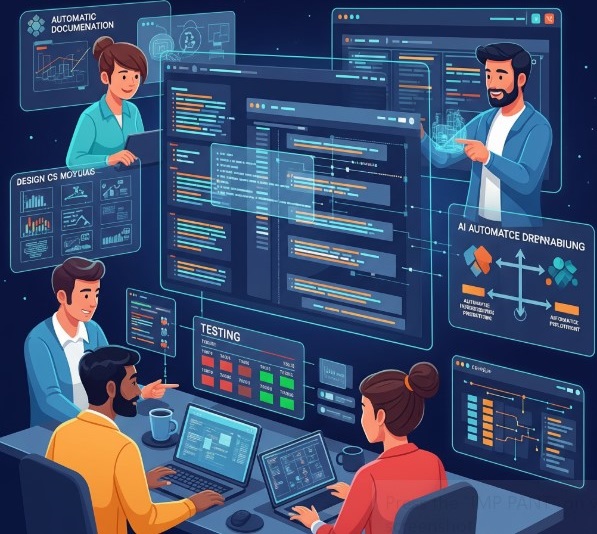
AI for coding use currently functions with the following kind of loop: plan → code → test → review. It takes the sting out of boilerplate and helps developers explore APIs faster, while humans keep judgment on design, security, and trade-offs. Industry analysts estimate sizable macro productivity tailwinds as this scales across teams and sectors.
Developers use tools like GitHub Copilot to scaffold modules, write glue code, and adapt examples to local patterns. This works right inside the editor and PRs.
Models draft unit tests, fuzz cases, and regression checks, and they flag risky diffs during review. Humans still run the suite, interpret failures, and decide what ships. Evidence points to faster time-to-merge when teams keep a human-in-the-loop, and this trend is likely to continue into 2026.
Assistants turn signatures, docstrings, and commit history into up-to-date READMEs and ADRs, helping new teammates onboard faster. The 2025 survey data shows developers value AI for learning and speed. It is getting better at documentation over time.
AI can map layouts to React/Vue code and translate design tokens into CSS, then explain accessibility trade-offs for the team to review. (Treat outputs like a junior PR. Read and test before you merge.)
Describe the desired state, get IaC templates, CI jobs, and rollout playbooks. Paired with human review, this shortens setup time and reduces toil in pipelines and release engineering.
Models can be confidently wrong. Vague prompts or missing context increase risk. Treat outputs like code from a new teammate: review, run tests, and benchmark. Developer trust is mixed in 2025, another reason to keep humans in the loop.
Mind licenses, training data policies, and snippet provenance. Set rules on data sharing and model scope before rolling out widely.
Don’t let fundamentals atrophy. Keep debugging, architecture, and secure coding sharp. Right now, AI is an amplifier, not a substitute.
AI can introduce unsafe patterns or hide subtle bugs. Layer security checks—SAST/DAST, dependency scanners—and adopt LLM-specific threat models (prompt injection, insecure output handling).
Two trends stand out: “agentic” flows that plan, edit, test, and open PRs end-to-end, and private models tuned to your code and standards with audit trails for compliance. Open source will keep shaping best practices, from “AI-ready” docs to shared evaluation suites and red-team prompts. Expect steady gains where teams apply AI to scoped, high-friction tasks and pair it with solid engineering discipline.
Get A FREE Subscription To Weekly Cybersecurity Tips So Your Company Doesn’t Become The Next Victim.