

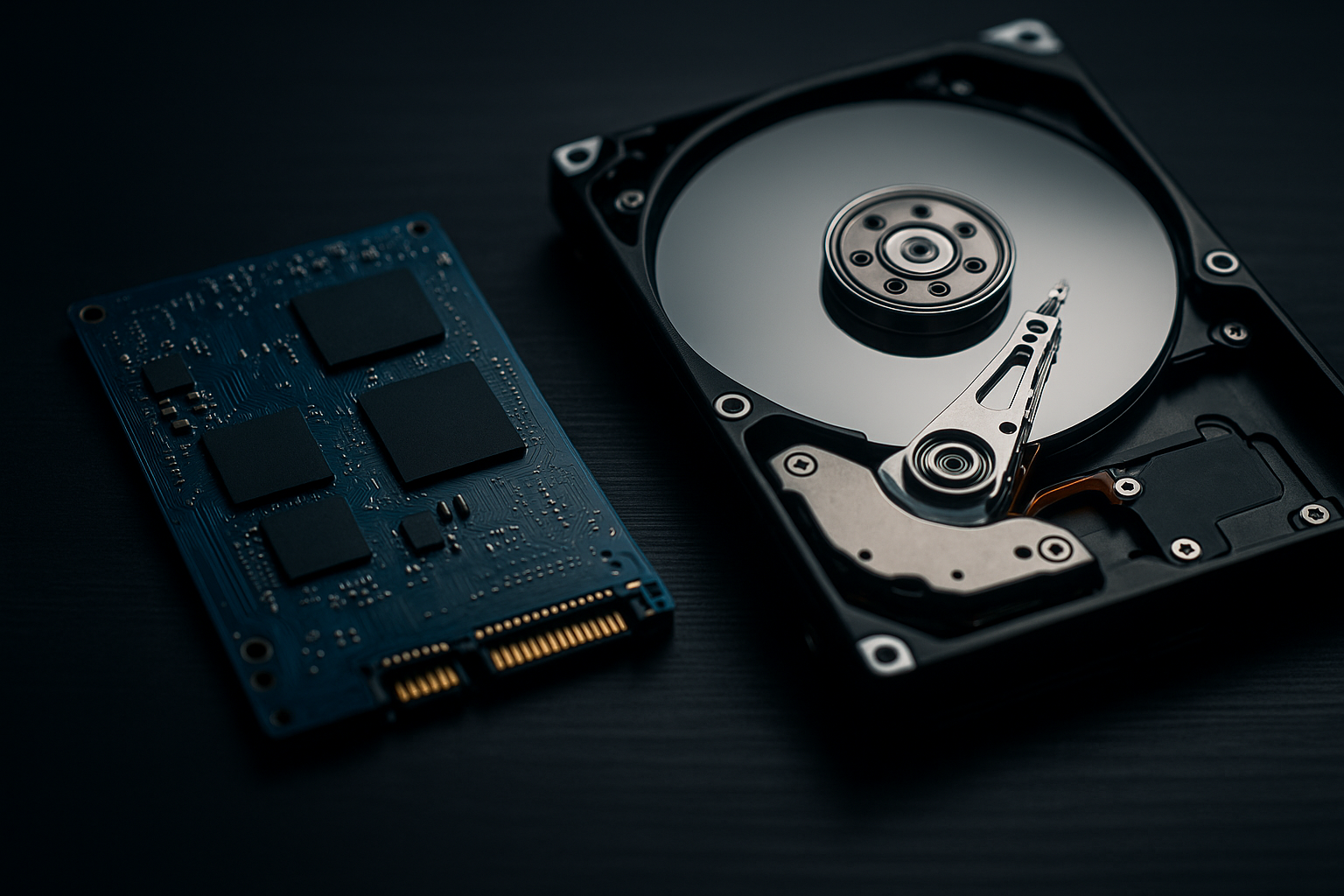
Solid State Drives (SSD) don’t require the spinning mechanical arm to function, operating much more like RAM. This makes them much faster, safer, and more convenient, but at a higher price tag. However, the price gap has been narrowing more and more each year, making SSD the better choice in more circumstances.
The hard disk drive is a marvel of engineering, but it is slowly losing its centre stage light. It’s data storage from a different era, which uses a magnetic disk that spins rapidly, read by a laser on a mechanical arm to read and write.
Imagine a tiny, high-speed record player. Inside an HDD, one or more magnetically coated platters spin at speeds of 5,400 to 7,200 revolutions per minute. A mechanical arm, much like a record player’s tonearm, skims across these spinning platters. This read/write head physically moves to the correct location to read or write data as magnetic patterns. It’s clever, but limited by the speed of physical motions.
The Solid State Drive is essentially the same storage as old flash drives; it’s just that costs have come down enough that they are now viable as regular storage devices. It has no moving parts, no spinning platters, and no mechanical arms, making it faster and easier to use with extended durability, as fewer moving parts can break down.
An SSD is a vast, sophisticated grid of flash memory cells, like a massively expanded version of the memory in a USB stick. It stores data electronically in these cells. Accessing data is not a physical search like with HDDs, but rather is done directly through electronic signals. This rapidity is the fundamental difference that makes an SSD feel so responsive.
Even within SSDs, there are many subcategories. The most common is the SATA SSD, which looks just like a smaller HDD, offering a somewhat one-to-one replacement. Using the SSD’s strengths, there is also the more modern NVMe SSD, typically in the compact M.2 form factor, which connects directly to a motherboard. This type of SSD offers even more robust connection speeds, reading, and writing at higher speeds.
The biggest difference between the two is speed. An HDD is five or more times slower than an SSD, making an SSD much more useful for various applications. SSDs are also just easier to use for many applications due to their performance. One traditional use for this is hosting your operating system on an SSD for faster boot-up and application opening times. As costs have come down, you can utilize
This speed is for almost anything.
This is another area where HDDs are less robust. Due to the moving parts, a lot can go wrong, whether through impact or wear and tear. Add to that the fact that it is a large magnetic disk, which means even a strong magnet can sometimes damage data. While not indestructible, the solid block of silicon that makes up an SSD has fewer failure points overall.
One of the more infamous problems with HDDs is that they can be very noisy as they spin, especially when transferring large files. This also means using more energy to power the mechanism. Overall, SDDs use less energy for their storage capacity and essentially make no noise on their own.
However, there is still one area where HDDs reign supreme, and that’s in capacity. If you truly need many 10s or 100s of TBs of storage, it is much more feasible for size and cost reasons to buy HDDs over SSDs, in most cases.
Related to the above, HDDs are still cheaper per TB than SSDs for storage. However, if you factor in the usefulness of performance, durability, and convenience, the cost analysis can sway closer to SSD.
On average, consumer hard disk drives (HDDs) last 3-6 years under typical desktop use, while solid-state drives (SSDs) reach 5-10 years, depending on write volume. HDD lifespan is limited by mechanical wear, so their failure risk rises with heat, vibration, and power shocks. SSDs have no moving parts, but their lifespan is governed by flash endurance (measured as TBW/DWPD) and controller firmware.
Only one choice, SSD, for these. It has to do with the compact form factor.
It is definitely better to get SSDs in this case, especially for the drive you have your operating system and games on. It is fine to have extra HDDs for storage of assorted non-gaming files, but for gaming and rendering purposes, an SSD is best. You may even want to consider an ultra-fast NVMe model.
Youtubers, graphic artists, and engineers: there are many jobs that need a lot of computing resources for rendering purposes. Again, for these, an SSD is essential for speed and latency. Where an HDD makes sense is for archived works, especially as the files will be massive, but not when you’re working on a file.
This is the one area where HDD is still better. You get a lot more storage for the cost, and speed isn’t really an issue for this use case. Also, HDDs last longer the less they are used, so archives are perfect for them. Still, they can fail, so regular check-ups are smart.
Not true. Typically, SSDs last as long or longer than HDDs, although both can be somewhat unpredictable. 5-10 years is considered the standard expectation before you should consider moving to new ones. As long as you make a backup, though, you can keep using it for a long time.
While the upfront storage cost is lower, the hidden cost of HDDs is the time lost waiting for their mechanical speed. Depending on the use case and length of time planned to use the storage device, SDDs can often be better in the long-term cost analysis.
In a technical sense, sure, but psychologically, a more ‘fitting’ size can help you keep things organized and store only what you need, rather than hoards of unorganized files.
Now that we’ve gone through the main arguments for both sides, it seems pretty clear that SSD is mainly winning and will continue to gain ground. That doesn’t mean there is no place for HDD, and if you need massive amounts of rarely used cheap storage, it might still be worth it, but for most use cases, SSD is now the way to go.
Get A FREE Subscription To Weekly Cybersecurity Tips So Your Company Doesn’t Become The Next Victim.