

WHAT IS CRYPTOLOCKER?
CryptoLocker is a ransomware program that encrypts files on a victim’s computer and demands payment, typically in Bitcoin, in exchange for the decryption key. First detected in September 2013, it was one of the first malware campaigns to demonstrate that file encryption could be weaponized at scale against everyday businesses and individuals. Although the original operation was dismantled in 2014, CryptoLocker set the template that virtually every ransomware group still follows today.
Type of Malware: Trojan-Delivered Ransomware
CryptoLocker is classified as ransomware delivered via a Trojan horse. It does not self-replicate or spread across networks the way a worm does. Instead, it relies on the victim to execute it, typically by opening a malicious email attachment disguised as a legitimate file such as a PDF, a shipping notice, or a business invoice. Once executed, the malware connects to a command-and-control server to retrieve an encryption key. Systematically encrypts files on the local machine and any connected network drives before displaying its ransom demand.
HISTORY OF CRYPTOLOCKER
Emergence in September 2013
CryptoLocker first appeared in early September 2013, distributed primarily through phishing emails and, in some cases, through the Gameover ZeuS botnet. Within weeks of its emergence, security researchers had identified it as a qualitatively different threat from prior ransomware. Earlier ransomware programs typically used weak symmetric encryption that could be cracked, or they simply locked the screen without actually encrypting files. CryptoLocker used RSA-2048 asymmetric encryption; the private key needed for decryption was held only on the attackers’ servers. Without that key, recovery was not practically possible.
The ransom demand was initially set at $300 USD or €300, payable in Bitcoin or through prepaid voucher services. Victims were given a deadline, typically 72 to 96 hours, after which the private key would supposedly be deleted and the files permanently inaccessible.
The GameOver ZeuS Gang Connection
A cybercriminal organization led by Evgeniy Bogachev, a Russian national, operated CryptoLocker and also controlled the GameOver ZeuS (GOZ) botnet. GOZ was an enormous peer-to-peer botnet used primarily for bank fraud, but the same infrastructure also distributed CryptoLocker to many of its victims. This connection gave CryptoLocker an unusually broad distribution mechanism; rather than relying solely on phishing emails, the operation could push the ransomware directly to machines already compromised by the ZeuS banking trojan.
Bogachev remains on the FBI’s most wanted list. As of 2026, the US government maintains a $3 million reward for information leading to his arrest or conviction.
Operation Tovar: The 2014 Takedown
In May and June 2014, a multinational law enforcement coalition including the FBI, Europol, the UK’s National Crime Agency, and cybersecurity companies including CrowdStrike, Dell SecureWorks, and Symantec executed Operation Tovar. Used by CryptoLocker, the operation simultaneously disrupted the GameOver ZeuS botnet and seized the command-and-control infrastructure.
Critically, Operation Tovar allowed researchers to recover the database of private encryption keys held on the seized servers. This led directly to the creation of DecryptCryptoLocker.com, a free decryption service that allowed victims of the original CryptoLocker to recover their files without paying the ransom. The original CryptoLocker operation had, for all practical purposes, ended.
Scale of Impact
In the nine months it operated, CryptoLocker infected between 250,000 and 500,000 machines, depending on the source. The US Department of Justice estimated the operation extorted approximately $27 million USD from victims. A 2014 survey by the University of Kent found that 41 percent of CryptoLocker victims had paid the ransom. A compliance rate that proved to the cybercriminal community that ransomware is a viable, scalable revenue model. That demonstration is the reason the ransomware industry exists at the scale it does today.
HOW DOES CRYPTOLOCKER WORK?
CryptoLocker’s attack sequence was straightforward but effective, and understanding it remains relevant because modern ransomware operates on the same principles.
The infection typically begins with a phishing email carrying a malicious attachment with a legitimate-looking filename. The attachment is usually disguised as a business document, PDF, Word file, or ZIP archive containing an executable. When the victim opens the attachment and the malware executes, it takes the following steps.
First, it contacts the attacker’s command-and-control server. The server generates a unique RSA-2048 key pair for that victim. Without the private key, no currently available method can decrypt the encrypted files. The public key gets sent to the infected machine; the private key gets retained on the server.
Second, the malware scans the local machine and all connected drives, including mapped network shares and USB drives, for files matching a predefined list of extensions. This list covers documents, spreadsheets, databases, images, design files, and other file types with business or personal value. It deliberately excludes system files, ensuring the operating system remains functional, and the victim can see and respond to the ransom demand.
Third, the malware encrypts each identified file using AES-256, then encrypts the AES key with the attacker’s RSA-2048 public key. The malware typically gives the encrypted files a new extension and deletes the originals. From this point, the files are unreadable without the private key.
Fourth, a delayed ransom notice, usually a prominent window that cannot easily be dismissed, clearly stating the situation, the payment amount, and the deadline. In some variants, a countdown timer was displayed to create urgency.
The entire process from initial execution to full encryption of a machine’s accessible files could take as little as a few minutes, depending on the number and size of files. By the time most users realized something was wrong, the encryption was complete.
SIGNS YOUR SYSTEM MAY BE INFECTED
Recognizing a ransomware infection early can limit damage, particularly when shared network drives are involved. The most obvious sign is the ransom notice itself, but there are earlier indicators worth knowing.
Files that were previously accessible suddenly cannot be opened and return errors about being corrupted or in an unrecognized format. File extensions change: .docx documents or .xlsx files now display an unfamiliar extension appended to the original. Folders begin filling with a text or HTML file named something like “DECRYPT_INSTRUCTIONS.txt” or “HOW_TO_RESTORE_FILES.html.”
System performance may slow noticeably during the encryption process as the malware processes large numbers of files. Unusual network traffic to unfamiliar IP addresses on Windows systems may appear in connection logs; this is the malware communicating with the command-and-control server to retrieve or confirm the encryption key.
If any of these signs appear, the immediate priority is to isolate the affected machine from the network. Disconnecting from the network does not reverse encryption that has already occurred, but it can prevent the malware from reaching additional network shares or spreading to other machines.
IS CRYPTOLOCKER STILL A THREAT TODAY?
The original CryptoLocker operation was dismantled in 2014 and its infrastructure seized. The specific malware from that campaign is no longer active in the form its original operators deployed.
What persists is the name, the concept, and dozens of successor programs that either copied CryptoLocker’s approach or were explicitly branded as variants by subsequent criminal groups looking to leverage its notoriety. “CryptoLocker” is now used colloquially to describe a category of ransomware rather than a specific piece of malware, similar to how “Kleenex” became a generic term.
More importantly, the ransomware ecosystem that CryptoLocker helped create is more active in 2026 than at any prior point. The global ransomware market, now dominated by groups like LockBit, Akira, Qilin, and ALPHV, generated an estimated $1.1 billion USD in ransom payments in 2023 alone, according to blockchain analytics firm Chainalysis. Every major ransomware group currently operating uses the techniques CryptoLocker pioneered: asymmetric encryption, short payment deadlines, Bitcoin ransom payments, and file extension targeting.
For Canadian businesses specifically, the Canadian Centre for Cyber Security documented 3,200 cybersecurity incidents reported to the federal government in its 2025 annual report. Ransomware represents a significant portion of those incidents, with small and medium-sized businesses increasingly targeted because they represent accessible entry points in supply chains connected to larger enterprises.
HOW TO DETECT CRYPTOLOCKER
Ransomware detection, whether CryptoLocker-family or modern variants, falls into two categories: pre-encryption detection (stopping it before it encrypts) and post-encryption detection (identifying an active infection).
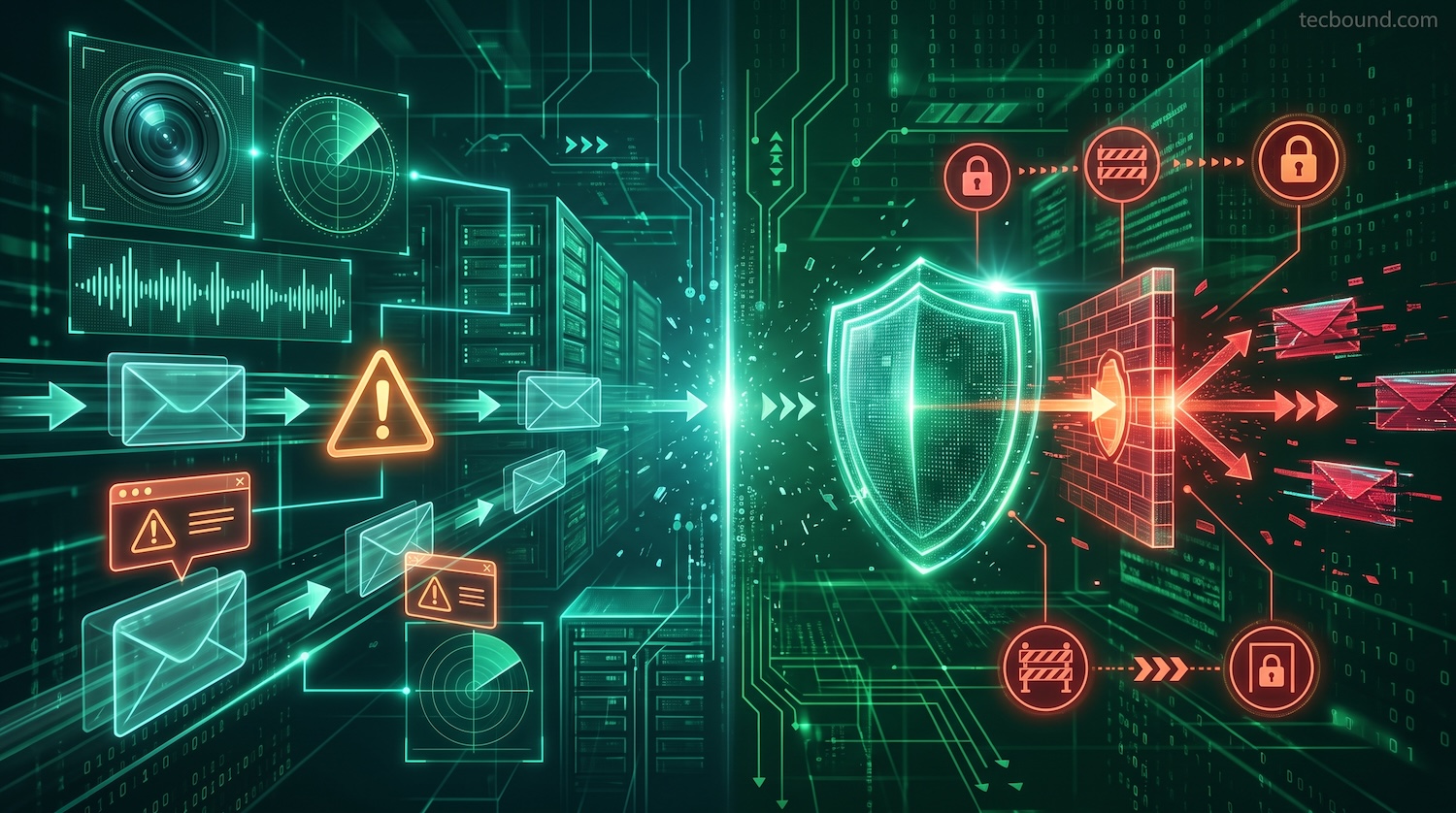
Pre-encryption detection relies on endpoint protection software capable of identifying the malware’s behaviour rather than just its signature. Modern endpoint detection and response (EDR) tools monitor for the specific patterns that ransomware produces: mass file renaming, high-volume write operations, connections to known malicious IP ranges, and attempts to delete shadow copies (backup snapshots). Behaviour-based detection can catch ransomware families that have never been seen before, which signature-based antivirus cannot.
Network-level detection can identify the command-and-control communication that occurs when ransomware contacts its server to retrieve an encryption key. DNS filtering and firewall rules that block connections to known malicious domains can interrupt this communication before encryption begins. However, sophisticated ransomware increasingly uses domain generation algorithms to create new domains faster than blacklists can be updated.
Post-encryption detection is unfortunately straightforward: files are inaccessible, ransom notes are present, and backup integrity should be verified immediately. At this stage, the priority shifts from detection to containment. Isolate affected machines and assess the scope of damage.
For organizations without in-house security operations, a managed detection and response (MDR) provider monitors environments continuously and can typically identify ransomware behaviour within minutes of initial execution, significantly before a user would notice anything unusual.
HOW TO PREVENT A CRYPTOLOCKER ATTACK
Prevention is substantially more effective than response. The following controls address the specific vectors that CryptoLocker and its descendants use.
Email filtering is the first line of defence, since phishing remains the primary delivery mechanism for ransomware. A properly configured email security gateway inspects attachments for malicious content, blocks known-malicious senders, and flags messages that impersonate legitimate organizations. Microsoft Defender for Office 365, included in M365 Business Premium, provides safe attachments and safe links scanning that detonates suspicious content in a sandboxed environment before it reaches the recipient’s inbox.
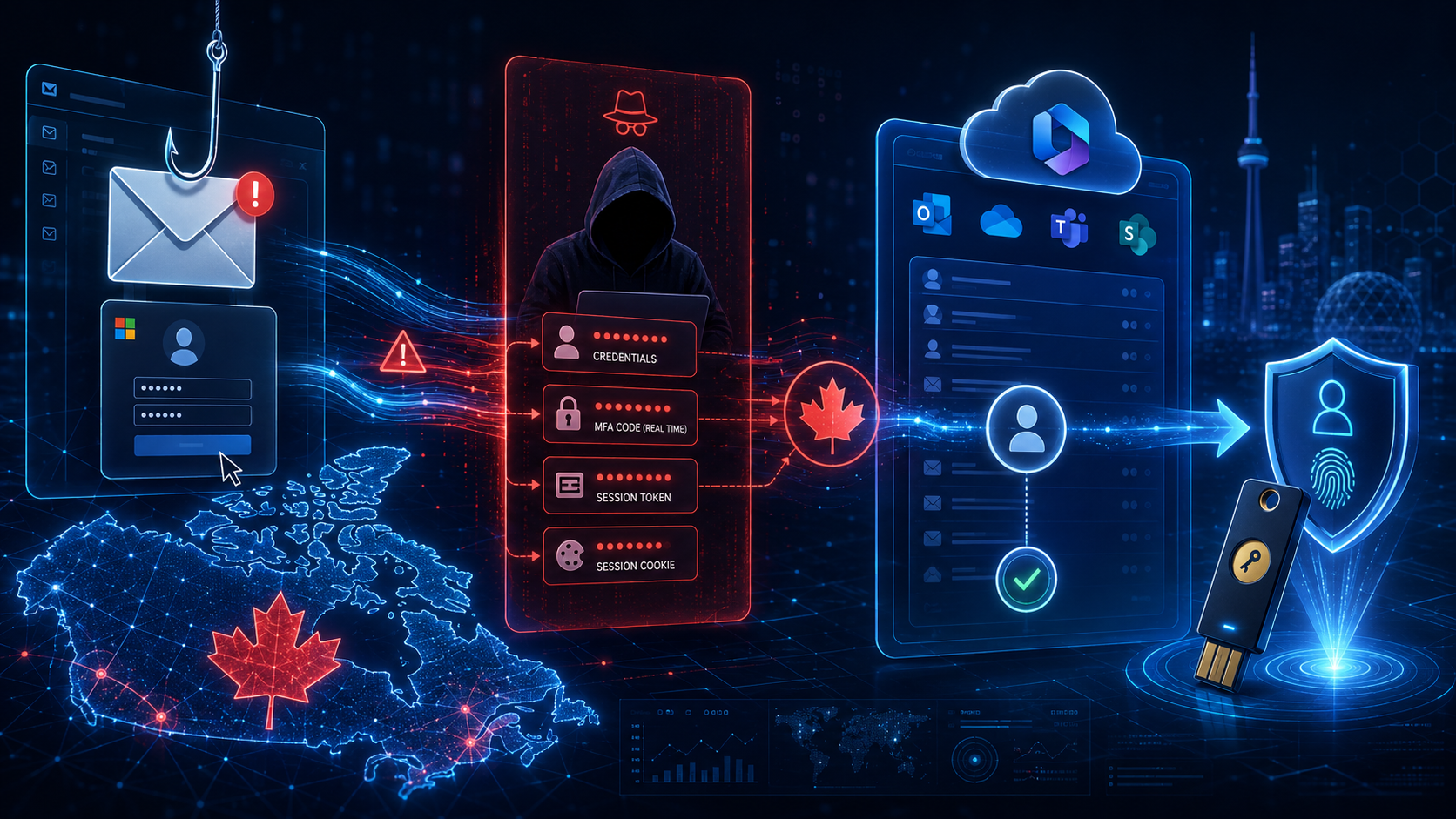
Implementing multi-factor authentication on all accounts eliminates the credential-theft vector that ransomware operators frequently use compromised credentials to access environments before deploying their payload. Phishing-resistant MFA using FIDO2 hardware keys or Windows Hello for Business provides the strongest protection, given the adversary-in-the-middle attacks that bypass standard push-based MFA.
The principle of least privilege access means users and service accounts have access only to the files and systems they need for their specific roles. CryptoLocker encrypts everything it can reach — limiting that reach limits the damage. A user whose account can only access their department’s shared folder cannot have their organization’s entire file server encrypted through their credentials.
Regular, tested, offline backups are the most effective recovery control. The critical word is “tested”; a backup that has never been restored may not restore correctly under pressure. Store backups where ransomware cannot reach them: in immutable cloud storage, on an air-gapped physical drive, or in a system the infected machine can’t write to. Daily backups with 90-day retention give most organizations a viable recovery point regardless of when an infection is detected.
Patch management applied on a defined schedule closes the vulnerabilities that ransomware exploits for initial access and lateral movement. Most ransomware exploits target vulnerabilities for which patches have been available for weeks or months. Applying patches within seven days of release addresses the majority of exploitation risk.
Security awareness training that specifically covers phishing recognition, suspicious attachment handling, and the process for reporting potential infections converts employees from a liability into an early warning system. An employee who correctly identifies and reports a phishing email before clicking it costs nothing. An employee who clicks and triggers a ransomware infection in an environment without adequate controls can cost considerably more.
Removing CryptoLocker or any active ransomware infection involves several sequential steps. The goal at this stage is to stop further damage and preserve options for recovery, not to immediately recover the encrypted files.
Step 1: Isolate the infected machine immediately.
Disconnect the affected machine from the network by unplugging the Ethernet cable or disabling Wi-Fi. Do not just put the machine in airplane mode; some malware continues operating in that state. If the machine is still connected to any shared network drives, those drives must be screened immediately for encryption activity. The faster this process is started, the less data gets encrypted.
Step 2: Do not restart or shut down the machine yet.
Some forensic information and, in rare cases, remnants of encryption keys may exist in memory. If your organization has a managed IT provider or incident response capability, contact them before taking further action. Restarting may destroy evidence needed to understand the scope of the attack.
Step 3: Identify the scope of infection.
Determine which files have been encrypted and whether the encryption has reached shared network drives. Log in to the relevant network storage systems from an unaffected machine to check whether shared folders show signs of mass file renaming or ransomware note files. If shared drives are affected, check which other machines have access to those drives; they may also be infected or at risk.
Step 4: Contact your managed IT provider or incident response team.
If your organization does not have an internal security team, this is the point at which to engage external help. The Canadian Centre for Cyber Security (cyber.gc.ca) maintains an incident reporting function and can direct smaller organizations to appropriate resources. Do not attempt to pay the ransom without consulting a professional; payment does not guarantee file recovery and funds criminal operations.
Step 5: Boot from clean media and run a reputable anti-malware tool.
Once the decision has been made about evidence preservation, boot the affected machine from a clean bootable USB drive containing updated anti-malware software. Scanning from within the infected operating system risks the malware interfering with the scan or concealing itself. Tools from Malwarebytes, ESET, and similar vendors have specific CryptoLocker and ransomware detection capabilities.
Step 6: Remove the malware.
The anti-malware scan should identify and quarantine the ransomware executable. Follow the tool’s recommendations for removal. Verify that the malware has been fully removed before reconnecting the machine to the network or restoring any files.
Step 7: Restore from backup.
After confirming the malware is removed, restore encrypted files from the most recent clean backup. Verify the integrity of the backup before beginning the restoration. If backups were also encrypted, which can occur if the backup destination was accessible from the infected machine, contact your backup provider about immutable storage options or cloud backup snapshots.
Step 8: Document and review.
Identify how the infection entered the environment, what access the malware had, and what controls failed. This review informs the changes needed to prevent recurrence and may be required for insurance purposes or regulatory reporting obligations.
CAN YOU RECOVER ENCRYPTED FILES?
CryptoLocker-encrypted files without paying the ransom depends primarily on which variant infected the system and whether clean backups exist.
For the original CryptoLocker from 2013–2014, free decryption is available. Following Operation Tovar’s seizure of the original infrastructure, researchers recovered the private key database and made it publicly available. Tools built on this database can decrypt files encrypted by the original CryptoLocker without payment.
For CryptoLocker variants and modern ransomware that uses the same name or branding, free decryption is generally not available unless law enforcement has seized the specific group’s infrastructure and released the keys, as has occurred with some groups including Hive (2023). The No More Ransom project (nomoreransom.org), a collaboration between Europol, the Dutch National Police, and cybersecurity companies, maintains a library of free decryption tools and is the first place to check when evaluating recovery options.
Without a decryption tool, recovery options are limited to clean backups, shadow copies (if not deleted by the ransomware; many variants specifically delete Windows shadow copies as part of their execution), and in some cases, partial file recovery through forensic tools that can retrieve fragments of unencrypted data from disk.
The practical implication for businesses is that backup quality determines recovery outcomes more than any other single factor. Organizations with tested, offline backups typically recover from ransomware within days of work. Those without adequate backups face a choice between paying the ransom with no guarantee of recovery and accepting permanent data loss.
CRYPTOLOCKER VS. OTHER RANSOMWARE
CryptoLocker is best understood as the first commercially successful ransomware, but not the most technically sophisticated or the most damaging in absolute terms. Comparing it with subsequent major ransomware families illustrates how the threat has evolved.
WannaCry (2017) demonstrated that ransomware could be weaponized with a self-propagating worm component, spreading across networks without any user interaction by exploiting the EternalBlue vulnerability in Windows SMB. CryptoLocker required a user to execute a malicious attachment; WannaCry required only that the target be connected to a vulnerable network. The NHS attack that paralyzed UK hospitals for days in May 2017 was WannaCry. CryptoLocker had no comparable self-propagation capability.
Locky (2016) was distributed through malicious Word document macros in phishing emails, the same delivery vector as CryptoLocker, but at a significantly larger scale, with hundreds of thousands of infections per day at its peak. Locky added the innovation of encrypting files on unmapped network shares, reaching storage systems that CryptoLocker’s mapped-drive scanning would have missed.
Petya and NotPetya (2016–2017) moved beyond file encryption to encrypt the Master Boot Record, making the entire operating system inaccessible rather than just individual files. NotPetya, later attributed to the Russian GRU, was not primarily designed to generate ransom revenue — its ransom mechanism was deliberately broken. It was designed purely to destroy, and it caused an estimated $10 billion USD in damages to organizations worldwide.
Modern Ransomware-as-a-Service (2020–2026) groups like LockBit, Akira, and Qilin combine elements from all predecessors: phishing delivery, credential theft for initial access, lateral movement across networks before deploying ransomware, double extortion (encrypting and stealing data), and in some cases triple extortion (threatening to notify clients and regulators). CryptoLocker collected only the ransom payment. Modern groups have multiple revenue streams from each attack.
Comparison Table: CryptoLocker, WannaCry, Locky, Petya
| Characteristic | CryptoLocker | WannaCry | Locky | Petya / NotPetya |
|---|---|---|---|---|
| First seen | 2013 | 2017 | 2016 | 2016 / 2017 |
| Primary delivery | Phishing email | Network exploit (EternalBlue) | Phishing email (macro) | Supply chain / network exploit |
| Self-propagating | No | Yes | No | Yes |
| Encryption target | Files (.docx, .xls, etc.) | Files | Files | Master Boot Record + files |
| Decryption available | Yes (post-Operation Tovar) | Yes (kill switch found) | Partial | No (NotPetya was destructive) |
| Double extortion | No | No | No | No (NotPetya not ransomware) |
| Attribution | GameOver ZeuS gang | North Korea (Lazarus Group) | Unknown | Russia (GRU) for NotPetya |
| Estimated impact | $27M ransom collected | $4–8B damages | ~$1B in losses | ~$10B damages (NotPetya) |
| Still active | No (original) | No (original) | No | No |
FREQUENTLY ASKED QUESTIONS
The original CryptoLocker operation, run by the GameOver ZeuS criminal organization, was dismantled in 2014 through Operation Tovar. The specific malware from that campaign is no longer active. However, dozens of copycat programs and successor ransomware families have used the CryptoLocker name or adapted its methods. The ransomware threat it helped create is more active in 2026 than at any prior point; the techniques CryptoLocker pioneered are now standard practice across the ransomware industry.
How Did CryptoLocker Spread?
CryptoLocker spread primarily through phishing emails carrying malicious attachments disguised as legitimate business documents; invoices, shipping confirmations, and legal notices were common lures. A significant portion of infections also came through the GameOver ZeuS botnet, which pushed CryptoLocker directly to machines already compromised by the banking trojan. Once installed, CryptoLocker did not spread; each new infection required a new victim to execute the malware.
Can CryptoLocker Be Decrypted for Free?
For the original CryptoLocker from 2013–2014, yes. Following Operation Tovar in 2014, researchers recovered the encryption key database from seized servers. Free decryption tools built on these keys are available through the No More Ransom project (nomoreransom.org). For ransomware that uses the CryptoLocker name but is a different program, free decryption depends on whether law enforcement has seized and released that specific group’s keys. Check nomoreransom.org before paying any ransom; it is the most comprehensive library of legitimate free decryption tools.
What Is the Difference Between CryptoLocker and Ransomware in General?
CryptoLocker is a specific ransomware program that operated from September 2013 to mid-2014. Ransomware is the broader category of malware that encrypts or otherwise restricts access to data and demands payment for restoration. CryptoLocker was significant because it was among the first ransomware programs to use strong asymmetric encryption (RSA-2048) that could not practically be broken; to accept Bitcoin payment; and to operate at scale against a broad range of victims. In common usage, “CryptoLocker” is sometimes used loosely to refer to any file-encrypting ransomware, though this is technically inaccurate.
Should I Pay the Ransom?
The FBI, the Canadian Centre for Cyber Security, and cybersecurity professionals generally advise against paying ransoms. The reasons are practical and ethical. Payment does not guarantee decryption; researchers have documented cases where payment produced non-functional decryption tools, incomplete decryption, or no response at all from the attackers. Payment confirms that the victim is willing and able to pay, which can make them a target for follow-up attacks. And payment funds the criminal operations that produce future ransomware attacks on other organizations.
The case for considering payment is narrow: if the encrypted data is truly irreplaceable, if no usable backup exists, and if no law enforcement or no-cost decryption option is available, payment may be the only practical path to recovery. Consult your managed IT provider, legal counsel, and, if applicable, your cyber insurance carrier. Most policies have specific requirements that must be met before and after a ransomware incident for coverage to apply.
Can CryptoLocker Encrypt Cloud Storage?
Yes, if the cloud storage is synchronized with the infected machine through a local client such as OneDrive, Google Drive, or Dropbox. When CryptoLocker or similar ransomware encrypts the local copy of a synchronized file, the cloud client uploads the encrypted version, overwriting the unencrypted original in the cloud. Most major cloud storage services maintain version history that allows recovery of prior versions; it’s worth verifying before an incident occurs. Microsoft OneDrive for Business, for example, maintains version history for up to 180 days on plans that include this feature.
How Long Does CryptoLocker Take to Encrypt Files?
Encryption speed depends on the number and size of files accessible to the malware, the hardware speed of the affected machine, and whether the malware limits its resource usage to avoid detection. On a typical business workstation with several thousand files, encryption can complete in minutes to hours. Ransomware that targets network shares with large file counts — construction companies with drawing archives, healthcare providers with imaging files — may take longer, which can give organizations with active monitoring time to detect and isolate the infection before it completes.
CONCLUSION
CryptoLocker is no longer active in the form its original operators deployed in 2013. What it left behind is more consequential than the malware itself: proof of concept that file encryption could be monetized at scale, that victims would pay, and that cryptocurrency made the payments difficult to trace and seize.
Every ransomware group operating in 2026 Akira, Qilin, LockBit, and the dozens of smaller operations working beneath them is building on what CryptoLocker demonstrated. The techniques have grown more sophisticated. The targets have shifted to include critical infrastructure, healthcare systems, and police services. The payouts have grown from hundreds of dollars to millions. The double and triple extortion models have replaced the simple file-lock-and-ransom approach. But the underlying logic is identical.
For Canadian businesses, the implication is that CryptoLocker-era defences are no longer sufficient. Email filtering that blocks malicious attachments is necessary but not enough when attackers use stolen credentials to log in directly. Multi-factor authentication is necessary but not sufficient when AiTM attacks bypass it at the token level. Backups are necessary but not effective if they are connected to the same network the ransomware encrypts.
The controls that matter in 2026 are the same ones that would have stopped CryptoLocker in 2013, applied at the level of sophistication modern attackers require: phishing-resistant MFA, behavioural endpoint detection, offline immutable backups, least-privilege access, and a documented incident response plan that has been tested before it is needed.
Tecbound provides managed IT and cybersecurity services for businesses in Calgary and across Canada, including ransomware prevention, Microsoft 365 security hardening, backup management, and incident response support. Contact us at tecbound.com/contact-us.
Get A FREE Subscription To Weekly Cybersecurity Tips So Your Company Doesn’t Become The Next Victim.