
For most of the past thirty years, the business computer was a fixed point. A machine in an office, tied to a desk, running software that lived locally. The IT decisions that followed from that model on-site servers, physical desktop management, VPN access for remote workers were logical extensions of something that seemed permanent.
That model is no longer permanent. The combination of the normalization of remote work, cloud infrastructure maturity, and a generation of security threats that specifically target endpoint devices has pushed desktop computing toward a different architecture. Desktop as a Service is one of the clearest expressions of where that shift is landing.
This guide explains what DaaS is, how it works, where it makes sense and where it doesn’t, and what a Canadian business needs to know before evaluating it as an option.
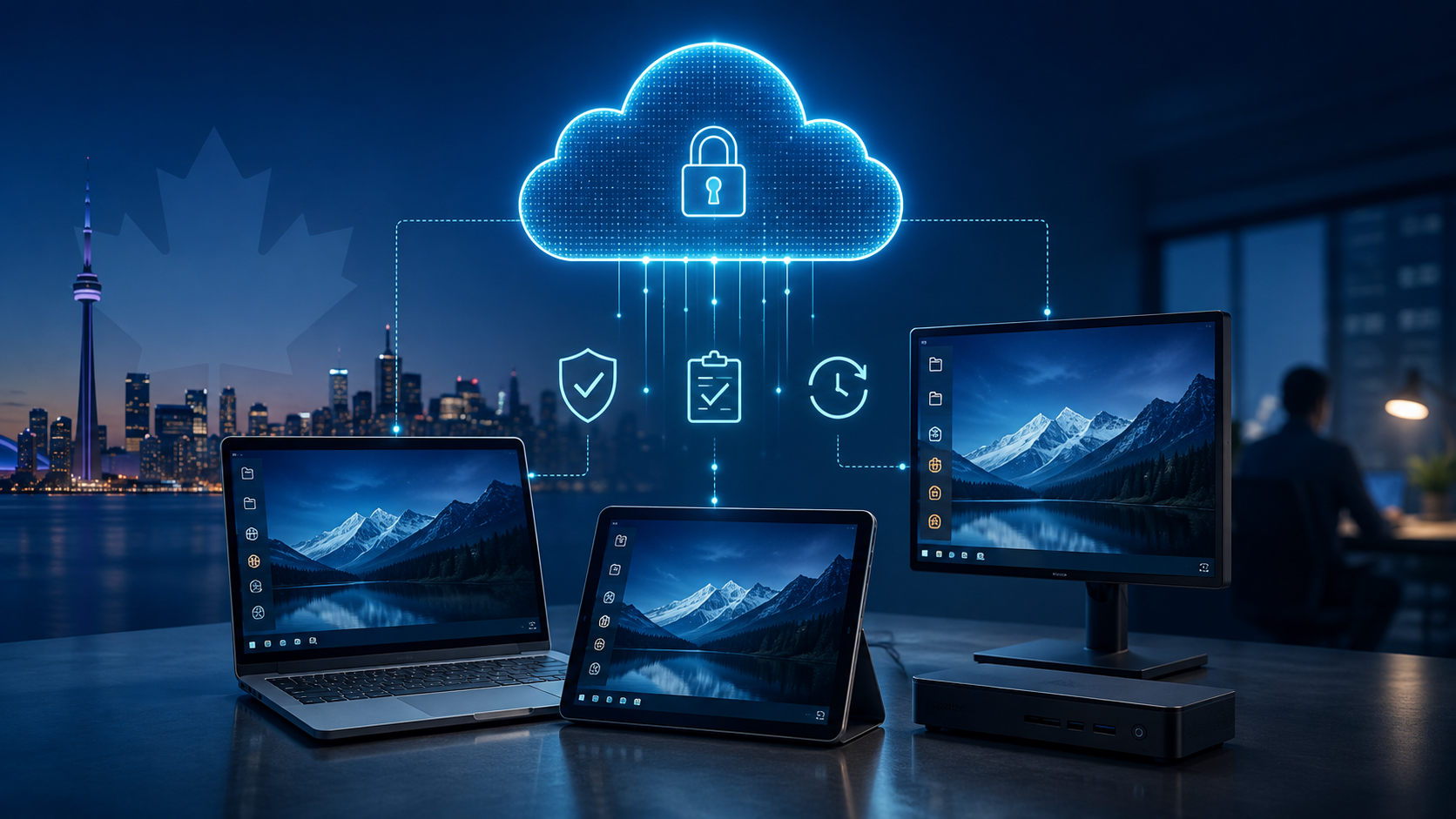
Desktop as a Service is a cloud computing model in which the desktop operating environment the full Windows or Linux experience a user interacts with runs on servers in a data centre rather than on a physical computer at the user’s location. The user accesses that desktop through a thin client, a browser, or a lightweight device. Everything they see and do runs remotely. The local device is just a display and an input mechanism.
The “service” part of the name means a provider manages the infrastructure. Patching, storage, compute resources, disaster recovery, and security monitoring all sit with the provider rather than the business. The business pays a subscription fee per user or per concurrent session and gets a managed desktop experience without having to manage the hardware that delivers it.
DaaS sits within a broader cloud vocabulary that is sometimes confusing. Virtual Desktop Infrastructure (VDI) is the underlying technology: virtualized desktops running on a hypervisor. DaaS and VDI solve the same problem, but VDI is something an organization deploys and manages itself, while DaaS is VDI delivered as a managed service by a third party. Software as a Service (SaaS) delivers specific applications through a browser without virtualizing the full desktop. Infrastructure as a Service (IaaS) provides organizations raw compute, storage, and networking in the cloud. DaaS is built on IaaS but abstracts the management layer away from the customer. Hardware as a Service (HaaS) is a model in which physical devices are leased rather than purchased, sometimes bundled with DaaS to provide the endpoint hardware alongside the cloud desktop.
“The global DaaS market reached USD 4.8 billion in 2024 and is projected to exceed USD 22 billion by 2030, growing at a CAGR of 29.8%.” — MarketsandMarkets, 2025
The growth is not driven by one single thing. Remote and hybrid work has assumed that employees work from a managed corporate device; increasingly impractical, a DaaS environment makes any compliant device a work device. Security threats targeting endpoints have made the model where sensitive data and applications on physical devices in field offices and home networks harder to defend. And cloud infrastructure has matured to the point where the latency and reliability concerns that made virtualized desktops impractical ten years ago have largely been resolved for most use cases.
For Canadian SMBs specifically, the regulatory angle is also relevant. Industries operating under PIPEDA, Quebec Law 25, or sector-specific frameworks such as NCACR for police services find that a DaaS environment where data never leaves the data centre makes compliance posture easier to document and demonstrate.
The core of a DaaS environment is a data centre running virtualization software — typically Microsoft Hyper-V, VMware, or Citrix that creates isolated virtual machine instances for each user session. When a user logs in, they connect to their assigned virtual machine over an encrypted protocol. The session runs on data centre hardware. What the user sees on their screen is a pixel stream from that remote session. What they type and click travels back over the network. Nothing except that stream and those inputs crosses the connection.
The hypervisor layer divides physical server hardware into multiple isolated virtual machines. Each virtual machine runs its own operating system instance, which means a single physical server can simultaneously host dozens of user desktops. Cloud providers such as Microsoft Azure, Amazon Web Services, and Google Cloud provide the underlying compute and storage. DaaS providers either build on top of these hyperscaler platforms or operate their own data centre infrastructure. Canadian data residency, a requirement for many regulated industries, depends on which option the provider uses and where their data centres are located.
A DaaS platform includes a management layer that IT administrators use to provision desktops, assign them to users, apply policies, push software, and manage updates. A new employee gets a desktop assigned in minutes; the image already exists in the cloud and is just allocated to a new user account. Software updates and security patches apply to the master image and propagate to all sessions the next time users log in, rather than requiring a technician to touch each physical device. This is where a significant portion of the IT labour cost savings in DaaS originate.
Users access their DaaS environment through a client application installed on their local device, a web browser, or a thin client terminal. Authentication follows Zero Trust principles: identity is verified with multi-factor authentication at every login regardless of location, and the user’s permissions are scoped to only what their role requires. There is no “on the network” implicit trust — a user connecting from a coffee shop and a user connecting from the office get the same identity verification treatment. This architecture significantly reduces the attack surface associated with compromised credentials.
The user experience in a DaaS environment depends heavily on network quality and the display protocol used. Protocols like Microsoft Remote Desktop Protocol (RDP), Citrix HDX, and VMware Blast Extreme each use different approaches to compress and transmit the desktop image, prioritizing responsive input handling over raw bandwidth. Modern protocols can deliver acceptable performance on 5 to 10 Mbps connections, though graphic-intensive applications and video collaboration still benefit from higher bandwidth. A managed IT provider deploying DaaS for a client will assess network quality and recommend protocol and session settings appropriate for the organization’s actual usage patterns.
Because the desktop environment lives in the cloud rather than on local hardware, disaster recovery changes character. A physical device failure, a flood in a project trailer, or a ransomware attack that encrypts local machines does not destroy the desktop environment. The user logs in from any available device, and the session resumes from the last saved state. Geo-redundant DaaS providers replicate desktop images across multiple data centres, so a data centre outage triggers automatic failover to the secondary site rather than requiring a manual recovery process. For Canadian businesses with documented recovery time objectives, DaaS environments can typically meet RTOs measured in hours rather than the days that physical infrastructure restoration often requires.
The feature list for DaaS platforms centralized management, scalable compute, cross-device access describes what the technology does. What it delivers at the business level is a different conversation.
The IT team spends less time managing physical endpoints and more time on higher-value work. End-of-life hardware cycles, which typically require a capital purchase followed by an IT project to image and deploy new machines, become irrelevant; the device on the desk only needs to run a browser or a thin client. New hires are productive on day one rather than waiting for hardware procurement and imaging. Acquisitions and temporary workforce expansions can be accommodated without a hardware order. And when an employee leaves, revoking their access to the DaaS environment is a single action that immediately cuts off access to every system they used, with no device retrieval required for the security action to take effect.
A 45-person accounting firm in Ontario migrated from physical workstations to a DaaS environment in 2024. Hardware refresh costs had been running approximately $85,000 every four years. In year one after migration, the firm eliminated that expenditure, reduced IT support tickets by 40 percent (most had been hardware and OS-related), and enabled four employees to work full-time from home without a separate remote access infrastructure. The three-year total cost of ownership came in 22 percent lower than the projected continuation of the physical model.
A construction company with project sites across three provinces deployed DaaS to give site supervisors secure access to project management software without shipping corporate laptops to remote locations. Site supervisors access the DaaS environment from personal devices or shared site computers. A ransomware attack on one site — where a shared computer was compromised — did not affect the DaaS environment at all. The attacker accessed a thin shell with no business data. Recovery involved wiping the local device and logging back in.
| Factor | Desktop as a Service (DaaS) | Traditional VDI (On-Premise) |
|---|---|---|
| Infrastructure ownership | Fully managed by provider — zero on-site servers | Owned and maintained internally significant capital expenditure |
| Upfront cost | Low — subscription-based, no hardware purchase | High — servers, storage, networking, and licences purchased before day one |
| Scalability | Add or remove users in minutes — no hardware lead time | Requires procurement, provisioning, and configuration — weeks to months |
| IT overhead | Provider handles patching, updates, and infrastructure monitoring | Internal team manages all infrastructure, updates, and performance tuning |
| Disaster recovery | Built-in geo-redundancy — desktops restored from cloud in hours | Requires separate DR investment and documented DR runbooks |
| Security model | Zero Trust identity, MFA, data never leaves the cloud | Perimeter-based security depends heavily on internal configuration |
| Customisation | Moderate — provider platforms have configuration limits | High full control over hypervisor, storage, and network architecture |
| Best suited for | SMBs, distributed teams, regulated industries, rapid scaling | Large enterprises with existing infrastructure investment and dedicated IT teams |
For most Canadian SMBs evaluating desktop virtualization for the first time, DaaS is the right starting point. The absence of upfront infrastructure investment, the provider-managed maintenance model, and the built-in disaster recovery make it the more accessible and operationally simpler option for organizations without a dedicated IT infrastructure team.
Traditional VDI makes sense when the organization already has significant data centre infrastructure and the IT staff to run it, when workloads require customization that provider platforms do not support, or when regulatory requirements mandate on-premise data storage that cloud-based DaaS cannot satisfy. These scenarios are more common in large enterprises and specific regulated sectors than in the SMB market that Tecbound primarily serves.
The organizations that get the most out of DaaS tend to share some combination of distributed workforce, endpoint security concerns, compliance obligations, or irregular scaling needs. A professional services firm where lawyers, accountants, or consultants work from multiple locations office, home, client sites gets consistent, secure access to the same environment from any device. A healthcare provider that needs patient data without touching an endpoint device finds that DaaS satisfies that requirement architecturally. A construction company with seasonal headcount changes that would otherwise require hardware procurement and return logistics deploys and removes user sessions without a hardware logistics conversation.
Contact centres benefit from DaaS because the thin hardware client is inexpensive, replacement is simple, and the centralized management makes it easy to push application updates across hundreds of agent desktops simultaneously. Educational institutions use DaaS to give students access to licensed software that would be prohibitively expensive to install on every personal device. First Nations police services operating in remote communities, where bringing in replacement hardware takes weeks, find that a DaaS environment means a damaged or lost device is replaced with any available computer with a network connection.
Microsoft Azure Virtual Desktop (AVD) is the dominant option for organizations already standardized on Microsoft 365. It runs on Azure infrastructure, integrates natively with Entra ID (formerly Azure AD), and benefits from Microsoft’s global data centre network, including Canadian regions in Toronto and Quebec City, which satisfies Canadian data residency requirements. Licensing is included for Microsoft 365 Business Premium subscribers, which significantly changes the cost calculation for organizations already paying for that tier.
Citrix DaaS (formerly Citrix Cloud) and VMware Horizon Cloud are established enterprise platforms that offer more granular control and broader hypervisor compatibility than AVD but at higher administrative complexity and cost. Amazon WorkSpaces is Amazon’s managed DaaS offering, built on AWS infrastructure. Google Cloud is less prominent in this space but relevant for organizations in the Google Workspace ecosystem. Nerdio, a Microsoft partner platform built on Azure, has gained significant adoption among managed service providers because it adds automation and cost optimization tooling on top of AVD.
Pricing across providers varies based on the selected compute tier, the Windows licensing model, storage requirements, and whether support is purchased separately. Microsoft AVD’s consumption-based billing means costs scale directly with usage a significant advantage for organizations with irregular work patterns, and a governance challenge for those without usage monitoring. Citrix and VMware charge per concurrent user or per named user with minimum commitments that make them less flexible at small scale. Amazon WorkSpaces uses a simple per-workspace, per-month model that is easy to budget but less optimal than AVD for mixed usage patterns.
For most Canadian SMBs, Microsoft AVD managed through a Microsoft partner such as Tecbound is the most cost-effective and compliance-friendly starting point, particularly for organizations already paying for Microsoft 365 licences. The combination of existing licence entitlements, Canadian data centre options, and native integration with Entra ID and Intune makes it the path of least resistance for the vast professional services and regulated-sector businesses.
| Model | How It Works | Best For | Typical Range (per user/month) |
|---|---|---|---|
| Per-user subscription | Fixed monthly fee per named user regardless of usage | Stable headcount, predictable budget | CA$30–CA$80 |
| Concurrent user | Pay for peak simultaneous sessions, not total employees | Shift workers, seasonal staff, contractors | CA$40–CA$100 |
| Usage-based (consumption) | Billed by compute hours consumed | Irregular usage, project-based workforces | Varies can spike without governance |
| Bundled MSP | DaaS included in a managed IT engagement | SMBs that want IT fully managed end-to-end | Included in MSP contract |
The subscription or compute cost is not the total cost of a DaaS deployment. Storage fees for user profiles, application data, and desktop images are often billed separately and can grow significantly as the user base scales. Egress fees apply when data leaves the cloud environment, which happens every time a user downloads a file to a local device or an integration pulls data to an on-premises system. Licence costs for Windows and Microsoft 365 may or may not be included depending on the provider and plan tier. Support tiers are often optional at the base price; incidents outside business hours may not be covered. Migration costs: the work of moving existing desktops, applications, and user profiles into the DaaS environment is a one-time expenditure that rarely appears in the headline per-user price.
An experienced managed IT provider will produce a full total cost of ownership analysis that accounts for all of these factors before a contract is signed, not after the first bill arrives.
DaaS addresses endpoint security structurally. Data does not live on the device in the field it lives in the data centre. A lost laptop, a compromised personal computer, or a ransomware attack that encrypts a local drive does not expose business data because the data was never on the local drive. This architectural separation is the security argument for DaaS that applies regardless of which provider or configuration a business uses.
The compliance story is more nuanced. PIPEDA requires that personal information be protected with appropriate safeguards, and a DaaS environment in a Canadian data centre with proper access controls, encryption, and audit logging satisfies that requirement more clearly than most physical desktop environments. Quebec Law 25 adds the requirement for a privacy impact assessment on any new technology implementation a DaaS deployment should include one. For organizations in the police services or judicial sector operating under NCACR standards, the data residency and access control capabilities of DaaS platforms are directly relevant to compliance posture.
The direction of DaaS development in 2026 and beyond is being shaped by three converging pressures. The first is AI integration desktop environments are beginning to include AI-powered tools at the session level, from Copilot capabilities embedded in Microsoft 365 sessions to AI-assisted IT support that can diagnose and resolve session issues without human helpdesk intervention. This integration is happening faster in cloud-delivered desktop environments than in on-premises infrastructure, because updates are deployed centrally.
The second is the maturation of edge computing for DaaS. Processing sessions closer to the user reduces latency for use cases in remote locations or bandwidth-constrained environments. Microsoft’s Azure Local (formerly Azure Stack HCI) and similar edge-cloud hybrid platforms allow DaaS sessions to run on hardware at the client’s site while still being managed centrally a middle path between full cloud DaaS and traditional VDI that is becoming more relevant for industries with remote operations.
The third is the progressive narrowing of the gap between DaaS and full endpoint management. Platforms like Microsoft Intune are increasingly managing physical devices with the same centralized policy approach that DaaS applies to virtual ones. Over time, the distinction between “DaaS for security and manageability” and “modern endpoint management for physical devices” is likely to blur, with organizations mixing both approaches based on workforce segment rather than choosing one wholesale.
Desktop as a Service is not a fit for every organization. But for Canadian SMBs managing distributed workforces, navigating compliance requirements, or simply trying to get off the treadmill of physical desktop refresh cycles, it deserves a serious evaluation in 2026.
The technology has matured. The providers have Canadian data centre options. The security architecture — data that never touches an endpoint device, Zero Trust identity, centralized patching — addresses threat patterns that have become much harder to manage with physical desktop infrastructure. And the total cost of ownership, when calculated honestly and completely, is competitive with the status quo for most organizations once hardware refresh costs, IT labour, and endpoint security tooling are factored in.
The assessment conversation is a good place to start. It takes less than two hours and produces a clear picture of what DaaS would actually cost and deliver for a specific organization — not the general case, but the specific one.
Tecbound helps Canadian businesses evaluate and deploy DaaS environments built on Microsoft Azure Virtual Desktop, with Canadian data residency and compliance documentation included. Contact us at tecbound.com/contact-us to schedule a no-cost assessment.
Desktop as a Service is a way of delivering a computer’s operating environment — the screen, applications, and files a user works with — from a remote server rather than from the physical device in front of them. The user sees their desktop and opens their applications normally, but everything is actually running in a data centre. Their local device, whether a laptop, a thin client, or a tablet, is just a window into that remote session. The practical effect is that the device itself becomes less important: any device with a network connection and the right software can access the same desktop.
Both DaaS and VDI virtualize the desktop environment, but they differ in who owns and manages the infrastructure. VDI is deployed and maintained by the organization’s own IT team on the organization’s own servers. DaaS is delivered by a third-party provider who handles the infrastructure, updates, and maintenance. The user experience can be identical, but the operational model is very different. VDI offers more control and customization; DaaS offers lower upfront cost and reduced IT overhead. For organizations without a dedicated infrastructure team, DaaS is almost always the more practical option.
DaaS is architecturally more secure than traditional desktop computing in one important way: sensitive data and applications live in the data centre, not on endpoint devices. A stolen laptop or a compromised workstation does not expose business data because the data was never stored locally. DaaS environments also typically enforce Zero Trust identity authentication, meaning every login requires multi-factor authentication regardless of the user’s location. The risks that remain are the same as any cloud service: the security of the provider’s infrastructure, the quality of access control configuration, and the behaviour of users with legitimate credentials. Working with a managed IT provider that configures the environment correctly from the outset and monitors it continuously addresses the most significant of these.
The most straightforward advantages are device independence, centralized management, and the elimination of endpoint hardware as a security boundary. A DaaS user can access their full work environment from any device with a network connection. IT administrators apply patches, push software, and update policies across every user session from a single management console rather than touching each physical device. The hardware refresh cycle, which typically requires capital expenditure every three to five years, is eliminated or significantly reduced. And the risk profile shifts: instead of managing dozens or hundreds of individual endpoint devices, the attack surface concentrates in the data centre, where it can be monitored and hardened more effectively.
Distributed workforces are the clearest fit: professional services firms with lawyers or consultants working from multiple locations, construction companies with site supervisors in remote locations, healthcare providers with multiple clinic sites, and any organization that has normalized remote or hybrid work. Regulated industries benefit from the compliance posture that DaaS enables — data in a Canadian data centre with documented controls is easier to demonstrate to a regulator or insurer than data scattered across individual endpoint devices. Seasonal or contract-heavy workforces benefit from the ability to provision and deprovision sessions without a hardware logistics conversation.
The per-user subscription cost for DaaS typically runs between CA$30 and CA$100 per user per month, depending on the compute tier, the provider, and what is included. For organizations already licensed for Microsoft 365 Business Premium, Microsoft Azure Virtual Desktop may have minimal additional compute cost since Windows Virtual Desktop Access rights are included. The more important number for most businesses is the total cost of ownership: subscription cost plus storage, networking, migration, and any required hardware (thin clients or endpoint upgrades). Comparing that total against the ongoing cost of physical desktop management — hardware refresh, IT labour, endpoint security tools — usually produces a clearer answer than comparing headline subscription rates.
Get A FREE Subscription To Weekly Cybersecurity Tips So Your Company Doesn’t Become The Next Victim.